


ANYKING P7 | 15.6" Dual Screen Extender | 13–17.3" Laptops
Get your ANYKING P7 for $189.99 and save $80!
Fast Free Shipping
2-7 Days
Free Return
30 days
Warranty
1-year


Halloween Deals
Save up to 40% and more
Subscribe & Spin to Win
Top Prize: A Free Product
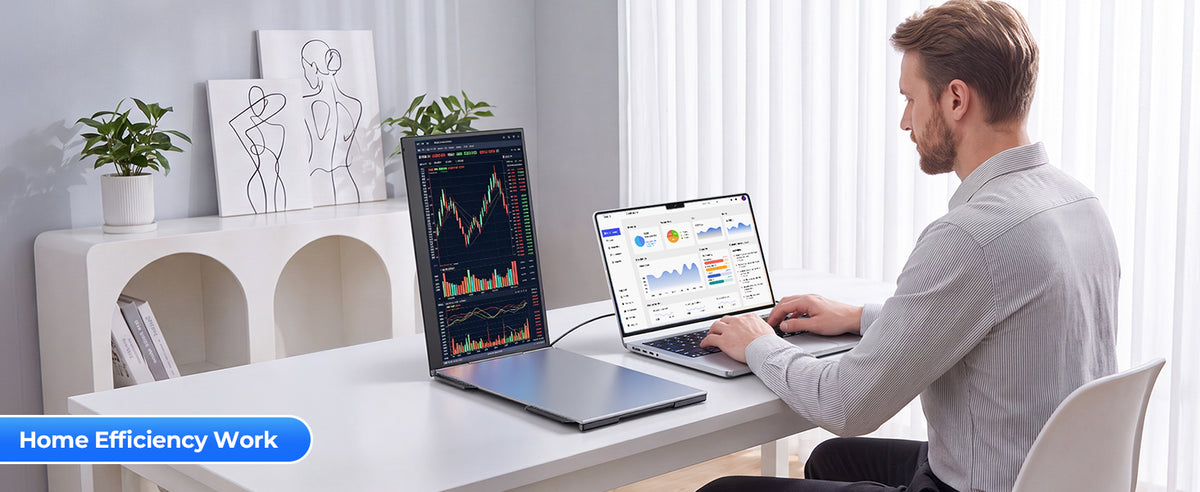
Expand your workspace with the ANYKING P7. Two 15.6″ Full HD displays sit beside your laptop screen, creating a three-screen workspace for documents, spreadsheets, references, and video calls.
Adjust the screens up to 180° and position the rear support for a stable desktop setup. When work is done, fold the displays and pack them in the carrying case for your next workspace.
Full HD clarity across two extra screens.
- Screen Size: Two 15.6″ IPS displays
- Resolution: 1920 × 1080 Full HD per display
- Aspect Ratio: 16:9
- Refresh Rate: 60Hz
- Rated Brightness: 280 nits
- Built-in Speaker: Yes
Each display requires its own video signal. Connect using:
- Two video-enabled USB-C ports with two USB-C cables.
- One video-enabled USB-C port plus HDMI, using the supplied HDMI-to-USB-C video cable.
USB-C video requires DisplayPort Alt Mode. No additional display driver is required for these native connections. Connect the external 5V/3A power adapter if additional power is needed.
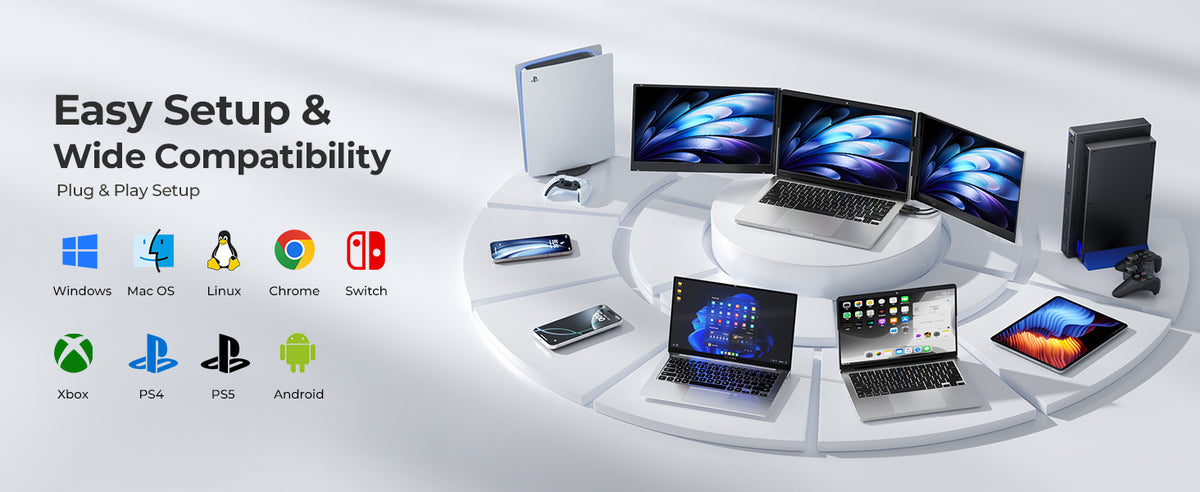
Designed for compatible 13–17.3″ laptops. Check your laptop’s dimensions, ports, and external-display support before purchase. Mac compatibility depends on the exact model and chip.
Refer to the P7 user manual for installation steps, connection diagrams, audio settings, and extended or mirrored display setup.
Need help choosing a connection method? Contact ANYKING Support with your full laptop model and photos of its ports.
Register your P7 warranty through the ANYKING website.
For warranty questions or product support, visit our Support Center or email service@anyking.com with your order number, product model, and a brief description of the issue.
Photos or a short video of your setup can help our team provide more accurate assistance.





Setup, Drivers & Compatibility
What is the ANYKING P7 laptop screen extender?
ANYKING P7 adds two 15.6″ Full HD IPS displays to your workspace. Its foldable desktop design lets you place your laptop between the screens, keeping documents, spreadsheets, and reference material in view.
Does P7 require a driver?
No additional display driver is required for the standard USB-C video or HDMI connections. If you use an optional USB display adapter, that adapter may require its own driver.
How do I connect both P7 displays?
Use two USB-C ports that support video output, or one video-enabled USB-C port plus HDMI with the included HDMI-to-USB-C cable. Each screen requires its own video signal. Your laptop must support two external displays to extend both screens.
Can one USB-C cable run both P7 screens?
No. P7 requires a separate video connection for each screen. A USB-C port that supports charging or data transfer alone cannot provide the video signal needed for a standard USB-C display connection.
Does P7 work with MacBooks?
P7 works with compatible Macs, but support for two external displays depends on your exact Mac model and chip. Check your Mac’s external-display specifications before purchasing. Having two USB-C ports alone does not guarantee support for both screens.
How do I check whether P7 fits my laptop?
P7 is designed for compatible 13″–17.3″ laptops and uses an open desktop layout. Check your laptop’s dimensions, clearance around the screen, and the desk space needed for the rear support. Physical fit and video compatibility should be checked separately.
Does P7 need external power?
External power may be needed when your laptop cannot supply enough power to the displays. Use the included power adapter if a screen flickers, turns off, or fails to start. A power connection does not replace either screen’s video connection.
What are the P7 display specifications?
P7 includes two 15.6″ IPS displays, each with 1920 × 1080 Full HD resolution, a 60Hz refresh rate, a 16:9 aspect ratio, and rated brightness of 280 cd/m². Each screen adjusts up to 180°.
Can the two P7 screens display content from different devices?
Yes. Each screen has an independent video input, so you can connect each one to a different compatible device and display separate content simultaneously. Both devices must provide a supported video signal, with sufficient power supplied to P7.
Can I take P7 on business trips?
Yes. P7 folds for storage and includes a carrying case. Its documented product weight is approximately 1.82 kg, making it suitable for moving your dual-display workspace between home, the office, and business trips.
What comes in the P7 box?
The package includes the P7 dual-display unit, two USB-C-to-USB-C cables, one USB-A-to-USB-C cable, one HDMI-to-USB-C cable, a power adapter, and a carrying case.
What should I do if a P7 screen shows “No Signal”?
Check that each screen has a working video connection, connect external power, and test each screen individually. Confirm your laptop supports two external displays, then check its display settings. If the issue continues, contact ANYKING with your laptop model, operating system, and photos of the connections.